iDrive2

Introducing iDrive2

Find Your Driving Instructor In Bahrain.

Compare licensed instructors, see when they are free, and book your lesson in the app.

Explore iDrive2
  • Find Instructors Browse verified instructors near you.
  • Book Lessons Choose a time that works for you.
  • Message Your Instructor Agree the details once a booking is confirmed.

One connected community

Learners And Instructors.
Connected In One Place.

A modern platform that brings together Learners and Instructors to support a safer, brighter driving future in Bahrain.

Explore iDrive2

Learners

  • Find the right instructor
  • Compare profiles
  • Send booking requests

Instructors

  • Showcase your profile
  • Manage availability
  • Receive learner requests

The iDrive2 way

More Clarity.
More Confidence.
Every Step.

A digital marketplace built on transparency, quality, and trust.

Explore iDrive2

Transparent Information

Full visibility from the start.

Clear Booking Process

Simple, step-by-step.

Trusted & Professional

Verified instructors with real experience.

Understandable Communication

Direct and clear in real-time.

Promoting your business

Your Brand.
On Their Journey.

Introduce your business to a relevant audience of Learners and licensed driving Instructors across Bahrain.

Explore advertising

Relevant Audience

Reach Learners and Instructors across Bahrain.

Targeted Placements

Your advert shown in key areas of the app experience.

Flexible Campaigns

Options to suit your objectives and budget.

Local Impact

Support a safer, more connected driving community in Bahrain.

Affordable Rates

Pricing that works for small businesses as well as large ones.

Discover the platform

Explore iDrive2 Your Way.

Learners Find The Right Instructor. Discover profiles, compare relevant information and send a booking request through the app.

Your Journey,
Simplified.

  1. Discover

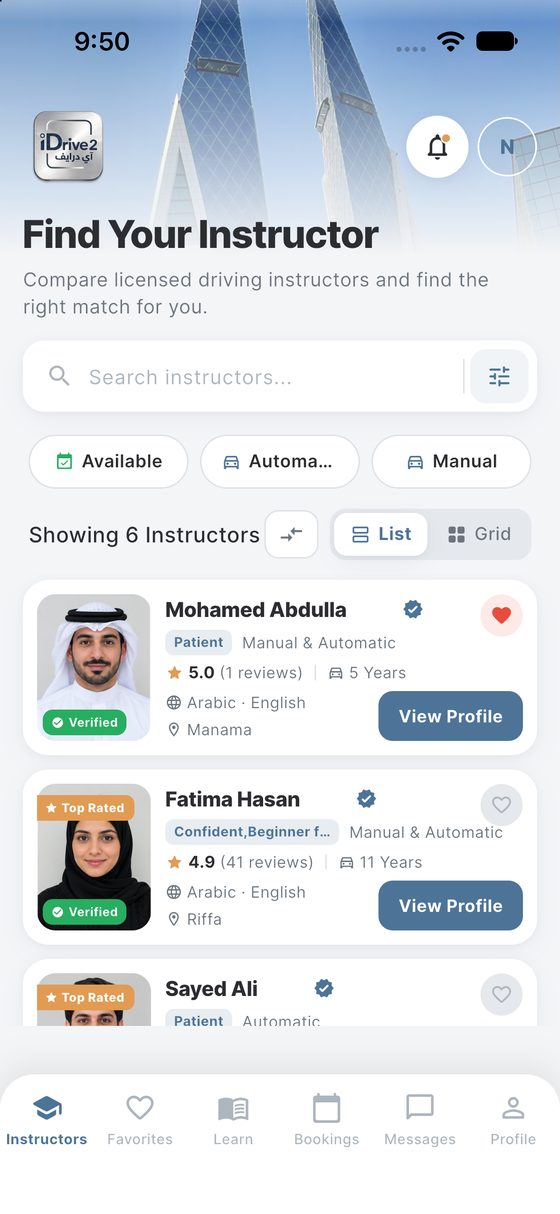
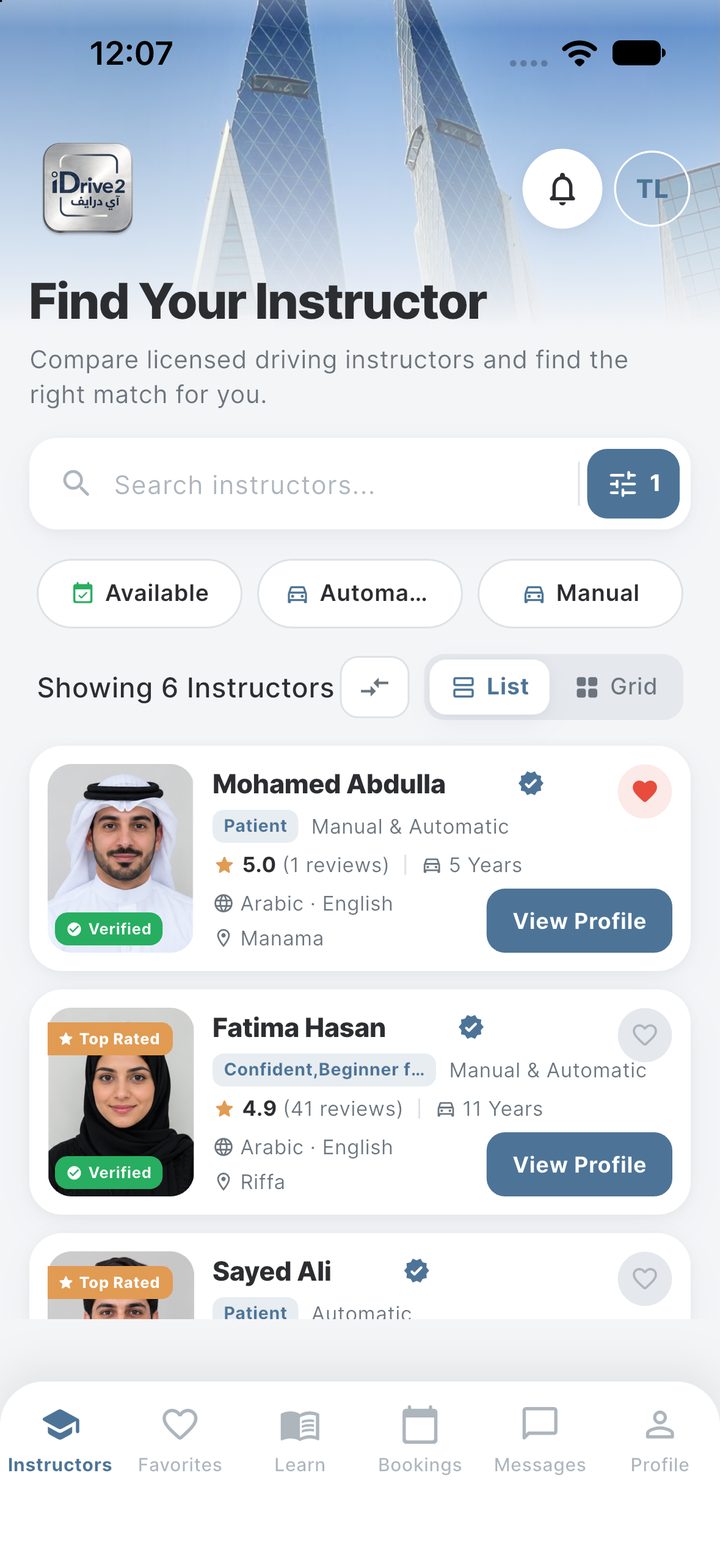
    Search and filter Instructors by location, vehicle type and your preferences.

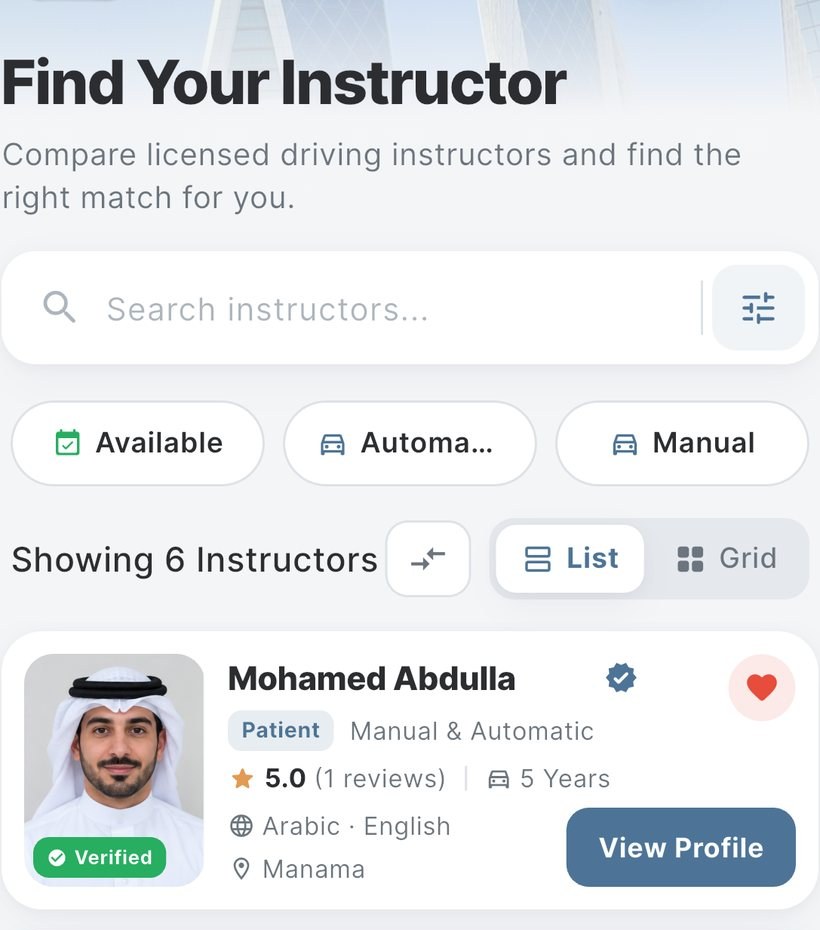
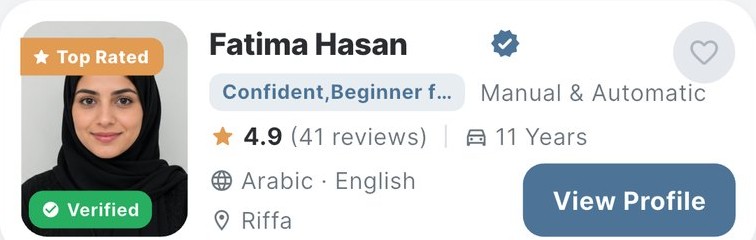
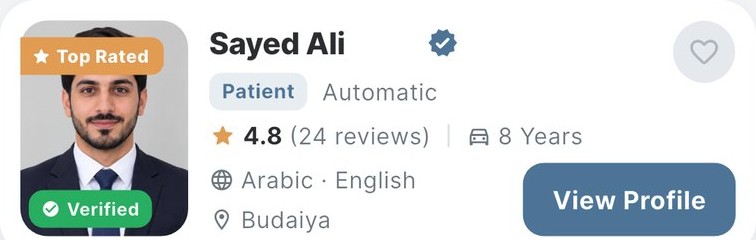
    The iDrive2 instructor list, showing verified instructors with their photo, rating, years of experience and area.
  2. Compare

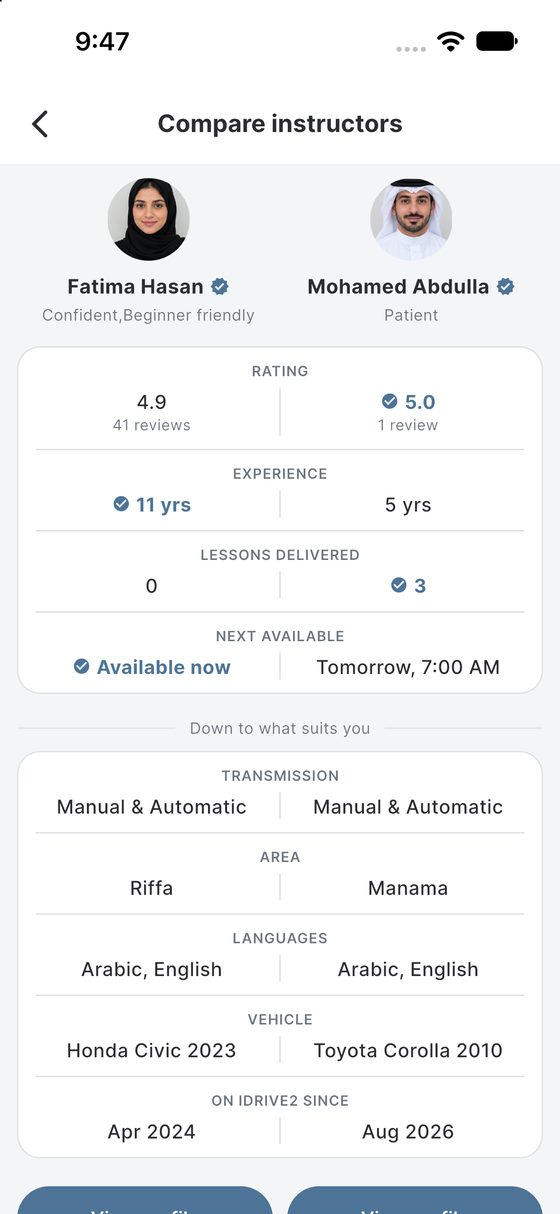
    Review detailed profiles, ratings, experience, vehicle information and availability.

    Two instructors side by side, comparing rating, experience, lessons delivered, next availability, area, languages and vehicle.
  3. Send A Booking Request

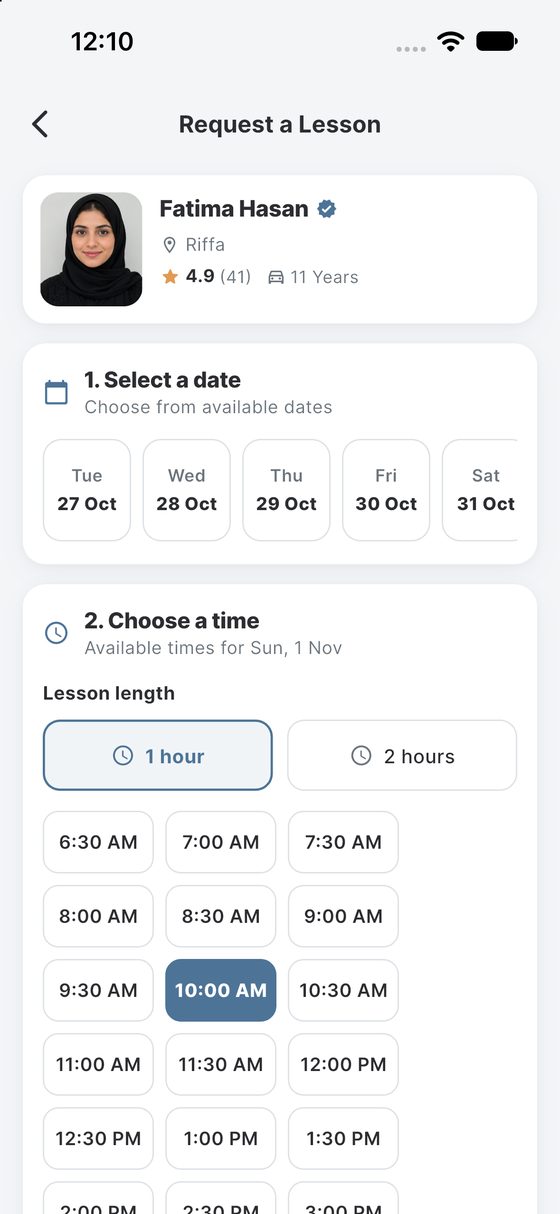
    Choose your preferred date and time and send a request directly through the app.

    The booking screen, with a date chosen, a lesson length selected and a grid of available start times.
  4. Instructor Acceptance & Manage

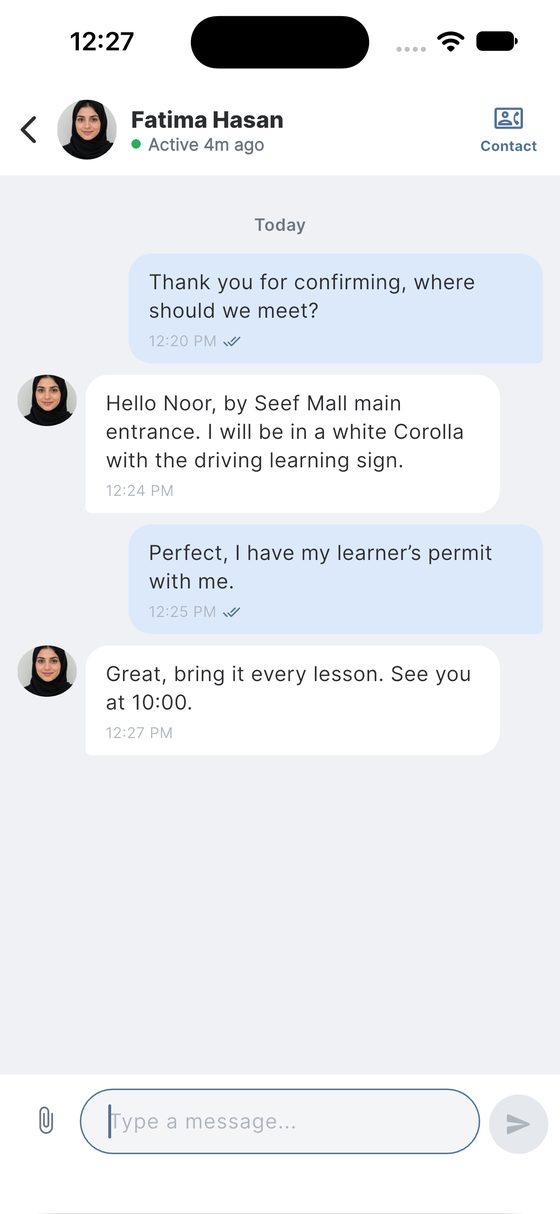
    Once accepted, chat with the Instructor and manage your booking journey in the app.

    A conversation with an instructor after a booking is confirmed, agreeing where to meet.
  1. Send a requestChoose your date, time and send a booking request.
  2. Instructor reviewsThe Instructor reviews your request.
  3. Continue after acceptanceOnce accepted, you can chat and manage your booking in the app.
Download the iDrive2 app
Instructors Your Profile. A Wider Reach. Present your experience, manage your availability and receive Learner requests through iDrive2.

Your Instructor Journey.

Join iDrive2, present your profile clearly, manage your availability and respond to Learner requests through one connected platform.

  1. Create Your Profile

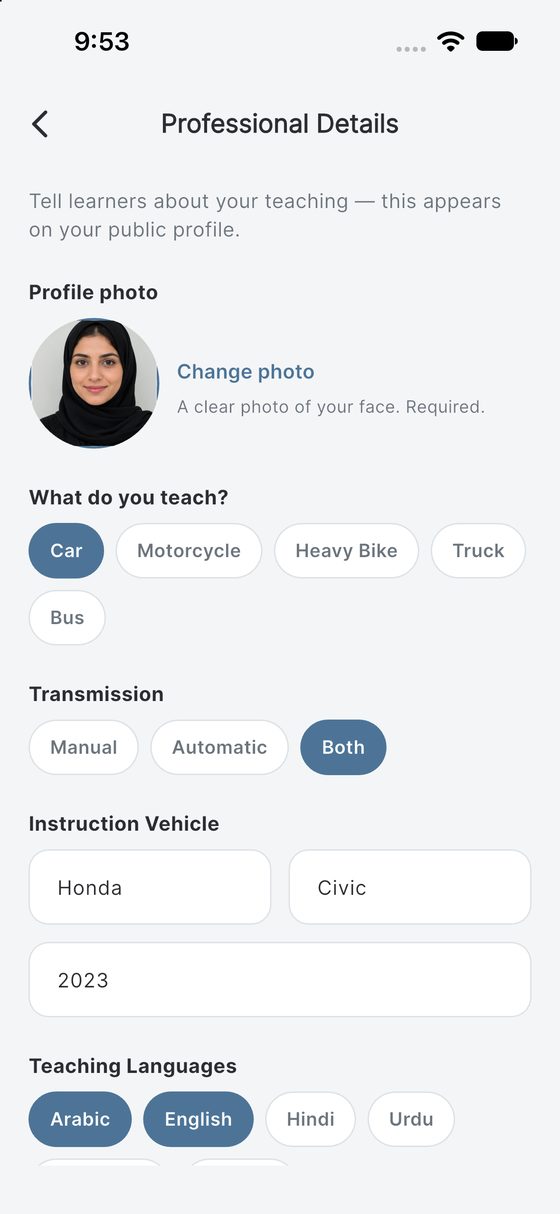
    Add your experience, vehicle type, teaching areas and qualifications.

    The instructor's profile editor: photo, what they teach, transmission, instruction vehicle and teaching languages.
  2. Set Your Availability

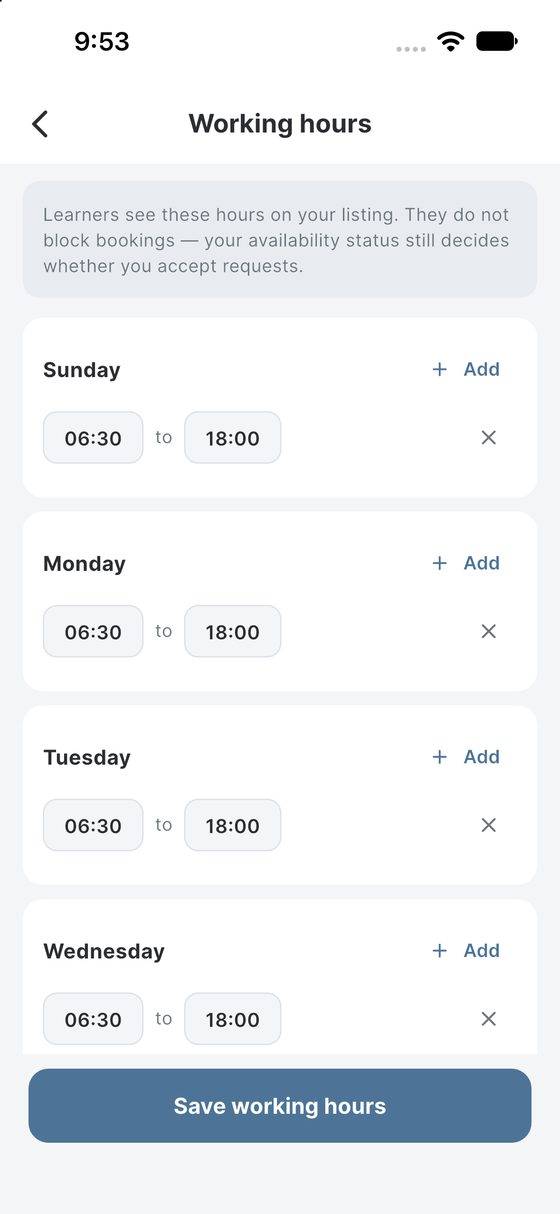
    Choose the days and times you are available for lessons.

    The working hours editor, with start and end times set for each day of the week.
  3. Receive Learner Requests

    Review new requests and communicate clearly through the app.

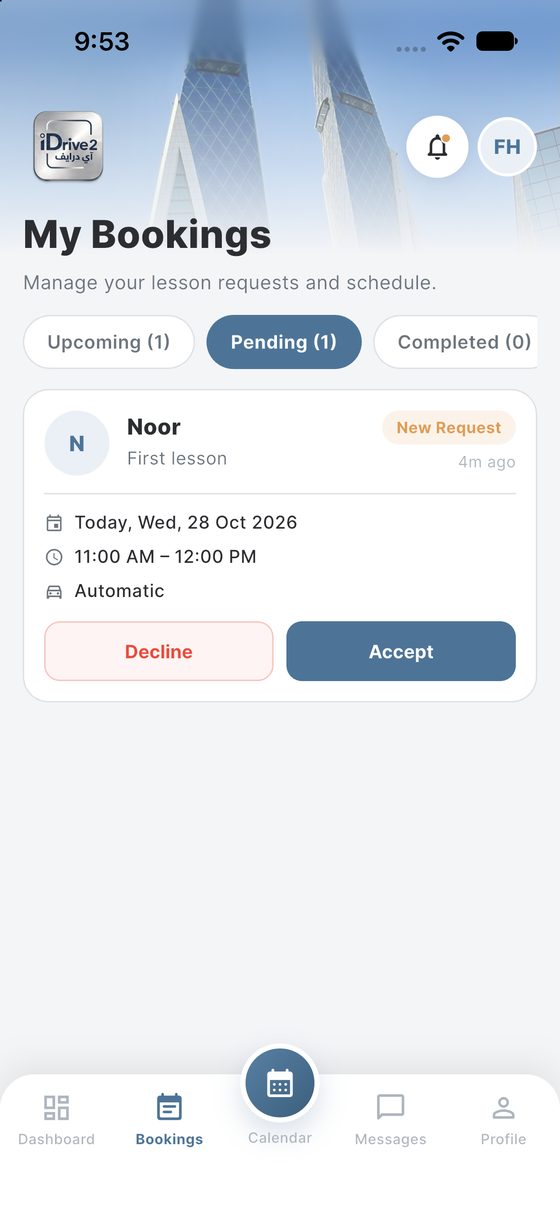
    A pending lesson request from a learner, with Accept and Decline.
  4. Manage Your Activity

    Stay organised, respond efficiently and build your reputation over time.

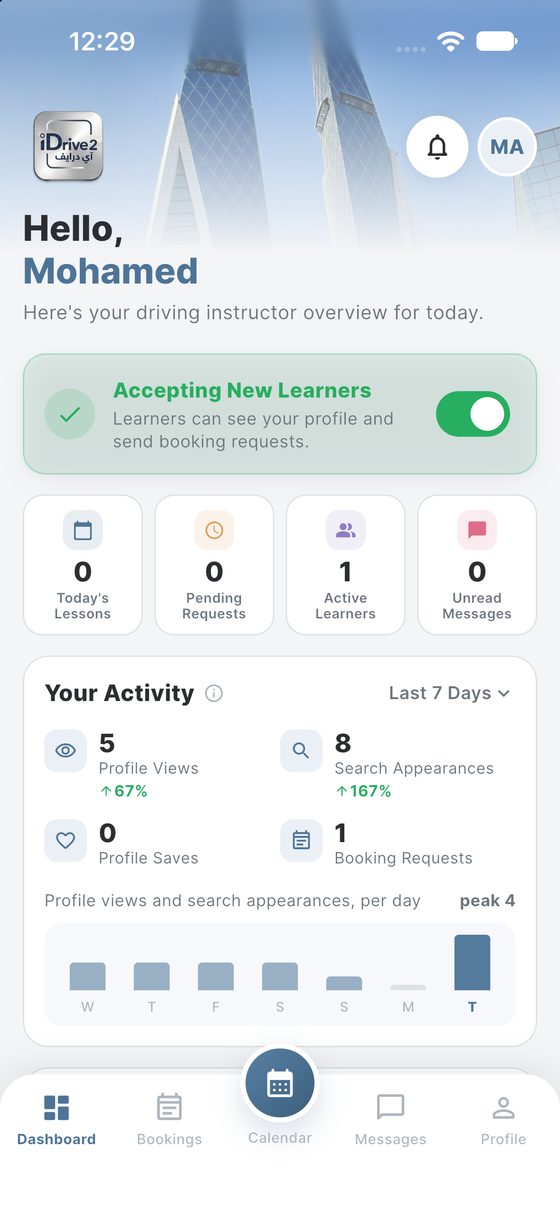
    The instructor dashboard: today's lessons, pending requests, active learners and a chart of profile views and search appearances.

Why Instructors choose iDrive2

More Support For Your Driving Business.

Professional profile

Show your experience, qualifications and teaching specialities.

Availability control

Set your working hours and keep them up to date.

Direct communication

Read and respond to Learner requests in one place.

Business growth

Build your visibility and your reputation over time.

Ready to get started?

Get the app

How Learners Find You.

The iDrive2 instructor list, showing verified instructors with their photo, rating, years of experience and area.

What A Profile Shows

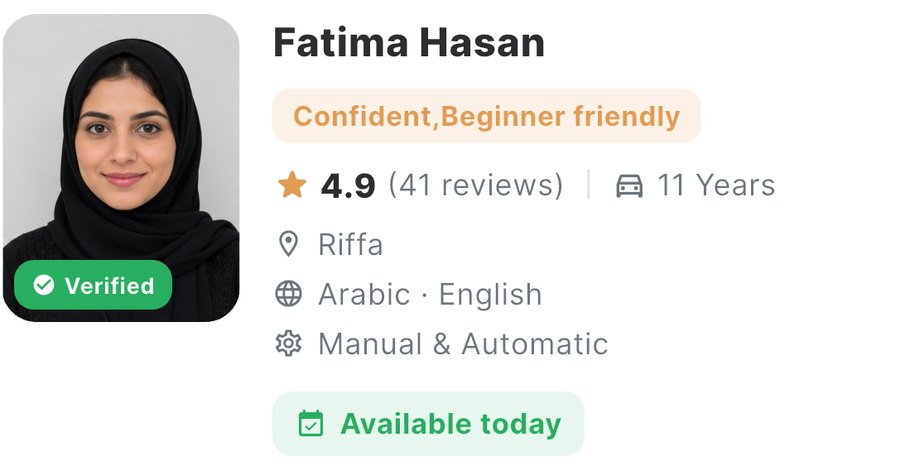
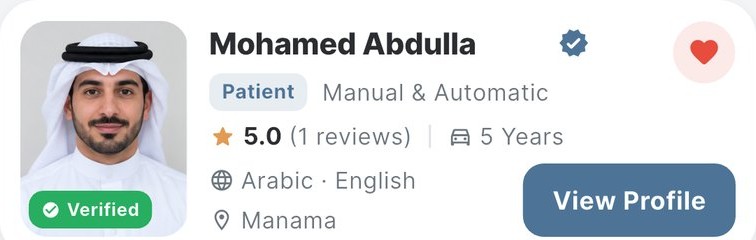
  • An instructor as a learner sees them in the list: photo, verified badge, teaching style, rating, experience, languages and area.
  • An instructor as a learner sees them in the list: photo, verified badge, teaching style, rating, experience, languages and area.
  • An instructor as a learner sees them in the list: photo, verified badge, teaching style, rating, experience, languages and area.
Discover Instructors in the app

FAQs

Frequently Asked Questions

Is iDrive2 available across Bahrain?

Yes. Instructors operate across the Kingdom, and you can see who is available near you before you book.

How much do driving lessons cost?

Instructors set their own rates, shown on their profile before you book. There are no hidden charges added at checkout.

Do I need a learner's permit before booking?

You will need the documentation required by the General Directorate of Traffic to drive legally. Your instructor can advise on what applies to your situation.

Can I change or cancel a lesson?

Yes, subject to the cancellation policy shown in the app. Cancelling with reasonable notice avoids a charge.

How do I become an instructor on iDrive2?

Sign up in the app as an instructor and upload your documents. Our team reviews them before your profile goes live.

Is my personal data protected?

iDrive2 processes personal data in accordance with Bahrain's Personal Data Protection Law (Law No. 30 of 2018). See our Privacy Notice for the detail.

How can a business advertise on iDrive2?

Businesses can reach Learners and Instructors through approved in-app placements. Send us an enquiry and our team will talk through the options and what suits your objectives.

Where do adverts appear in the app?

In defined areas of the Learner and Instructor experience — on opening the app, within key sections, and through in-app messages. Every advert is reviewed before it goes live.

Contact & support

We Are Here
To Help.

Have a question about iDrive2? Send us a message or get in touch using the details below. Our team is here to help.
Send An Enquiry.

Tell us how we can help and our team will get back to you.

Booking requests and instructor communication take place in the iDrive2 app.

See our Privacy Notice.

Downloads

Ready To Start?

Download the iDrive2 app and start your driving journey today.

Get the app — Coming soon
Download on the App Store Get it on Google Play